My Trip To The Richfield Jail

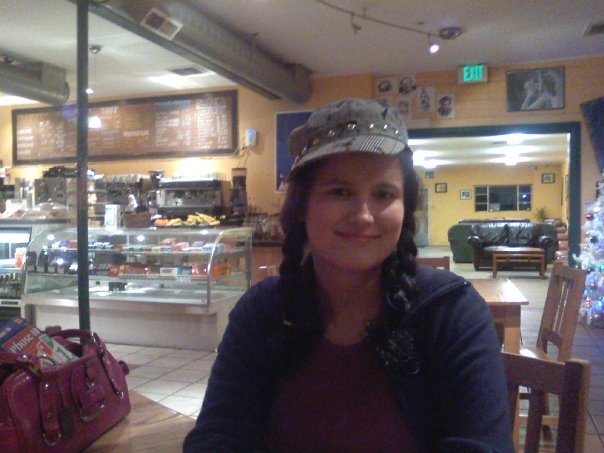
A few weeks ago I took a road trip with Misti to Richfield to go to jail!  I am sure most of you are wondering why in the heck we would drive 2 and a half hours to go to jail well it was because on of her friends is in jail there and I have started to write him so I wanted to go with her and see him.  The drive there was great until the GPS wanted me to go off roding in my car.  I was like WTF???? Good thing I am smarter than it and turned it off and we found it with out the lying thing! 
It was really good to see him and finally meet him sober.  I had met him once before but he was high so it was nice to meet him and he seems like a really nice guy.  I have decided that I am going to get back to the old me and that means I am going to have a lot of guy friends but not date or anything like that. 
Anyways the visit was supposed to be for an hour but they let us stay for 2 hours!  I am so glad that they let us because he hasn’t had a visitor and he has been in there over a year now.  He was so shocked and yet wierded out because he would see people and what not walk by and he didn’t know how to take it.  It was funny to see how he acted and how nervous people make him.  I can’t imagine being locked up for over a year and not having a visitor and he hardly had people writing him until Misti got his address and started writing him. 
All in all it was a great trip and a lot of fun! I am trying to get back to posting and blogging again so we will see how well I do.  I hope everyone is having a great week!

Bling

I got this award from my bloggy BFF Elle.  I figured I better get around to posting it and passing it on.  The rules for the award are as follows:
The only rule for this award is that if you accept it, please don’t keep it to yourself.  Please pass this along to others and share the bling!”
I am going to pass it on to all of my followers that don’t have it yet!

Terms

My Policy
• I only work with Blogger, WordPress.com and self hosted WordPress blogs.

• I do not take care of the hosting for your self hosted WordPress sites. If you need a recommendation I’m glad to recommend one for you.

• Current turn around time varies depending on the number of blogs ahead of you. Once I start on your design, you can expect anywhere from one day to 1 week until the design is complete.

• I like to get your new design up as quickly as possible so it’s important that you respond to my e-mails in a timely manner.

• If there is no contact with the client for 14 days or more when I start your design your order will be canceled. If you decide to proceed the design after the 14 days you will be charged a fee of $50. Only for certain circumstances will the fee be waved.

• I add a $3.00 Paypal fee to each order.

•I require full payment before I will start on your design.

• I will send you previews while I’m working on your design and changes can be made throughout the process. Once everything is installed and you want changes made I will allow those changes to be made with in 72 hours. After that time period you will be charged $20/hr.

• Payment for blog designs ARE non-refundable.

• During installation, I will include a linkback credit in the footer and/or sidebar of your page. The design I have created for you is a representation of my work. I ask that you do not alter this.

• While I install your design I ask you to please not go in and move things around or alter things unless I ask you too. This slows the install process down.

THANK YOU

FAQ

MyFreeCopyright.com Registered & Protected

Blog 101

*Well lets start off with what blog host you are using. I design blogs for Blogger hosted blogs.
*Blogger/Blogspot: These are the same thing. The blogging program is called “Blogger” and your blog address will look something like “yourblogname.blogspot.com”. Blogger is a completely free blog service and probably the easiest one to use. I have to different type of blog designs for blogger, The Classics and The Modern Designs. The Classics Designs are based off the Minima template and the Simple template in the new template designer from blogger. The Modern Designs are based off templates that I create using a template designer program. For both types I offer premade and custom designs.
*Columns for your site
Do you know how many columns you want for your site? Well I will explain them to you to help you decide by explaining them to you.
1 Column:
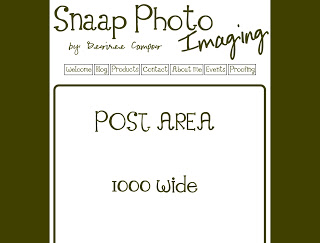
One column designs only have a post area and no sidebars. This design is great for photography blogs. Here is a sample: This sample is not live since I never got to finish the design.

2 Columns:
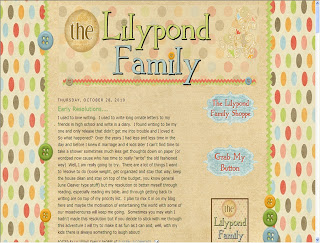
Two columns designs have only one sidebar. The sidebar can be either on the left or the right side of the blog. I love this layout since it makes the blog look really clean and simple. Here is a sample of a 2 columns design: http://lilypondfamily.blogspot.com/ 

3 Columns:
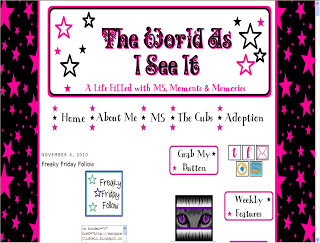
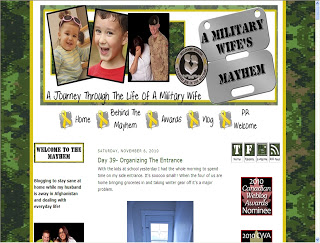
Three columns designs have a post area and 2 sidebars. I create this layout two different ways; with one column on each side of the post area and with two columns on the same side. The layout with the columns on the same side you have the option of having them on either the left or right side of the blog. Here are samples of these designs:
3 Columns-same side
3 Columns- split
4 Columns:
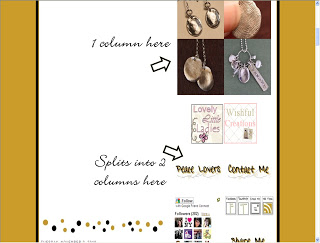
Four columns designs have a post area and 3 sidebars. The layout of this design is different then all the other, at the top of the layout it only has 1 sidebar and then it splits into 2 columns.  This design is only available for The Classic Designs with the Minima template. Here is a sample of a 4 columns design: http://www.peacefulwishing.com/  
Click image to see better.
*How do I sign you on to my blog/site
*Blogger:
-Go into your Dashboard and click on Settings.
-Under Permissions please send me an email invite to [email protected] be an author.
-After I accept your invitation you will need to go back into Settings/Permissions and click on “Grant Admin” next to my name.
*Please note that after your blog installation is done you can remove me as an author/admin on your blog.
*Favicon
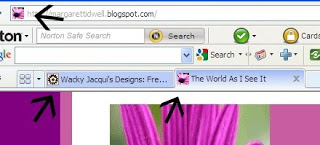
A favicon is the little icon that shows up in your address bar and/or in the Tab of your page.
*Button
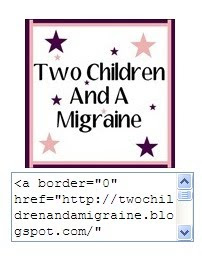
A button helps you get your website/blog out there. The buttons I create will have a code box attached to them so that your followers can take the code and add it to their blog/webpage.
*Post Signature
This is what you sign your blog posts with. It will automatically show up in each post.
*Navigation Bar
They help you navigate through your webpage/blog. I create this 2 ways.
-Navigation Bar With Text
-Navigation Bar with Images

*Post Divider
This is a separator between each post. This design can be as simple or as custom as you want.


Simple


*Social Network Icons

They are icons that will link to whatever social network you choose.
-Twitter
-Facebook
-Myspace
-Networked Blogs
-Emails
-RSS Feeds
-YouTube
-I can also link them up to your email subscribe feed.
-I can also link them up to your GFC follow feed.
-If you have any others you would like to see as an icon let me know.
These icons can be as small as 25×25 and as big as 200×200.
*Sidebar Titles

*only avalible for Blogger Classic Designs*
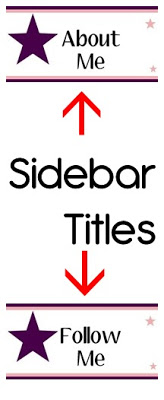
Have custom images as your sidebar titles instead of just plain regular text
*If you have a question about something not addressed here, please feel free to contact me!
Custom sidebar titles instead of just regular text.

MyFreeCopyright.com Registered & Protected

%d bloggers like this: